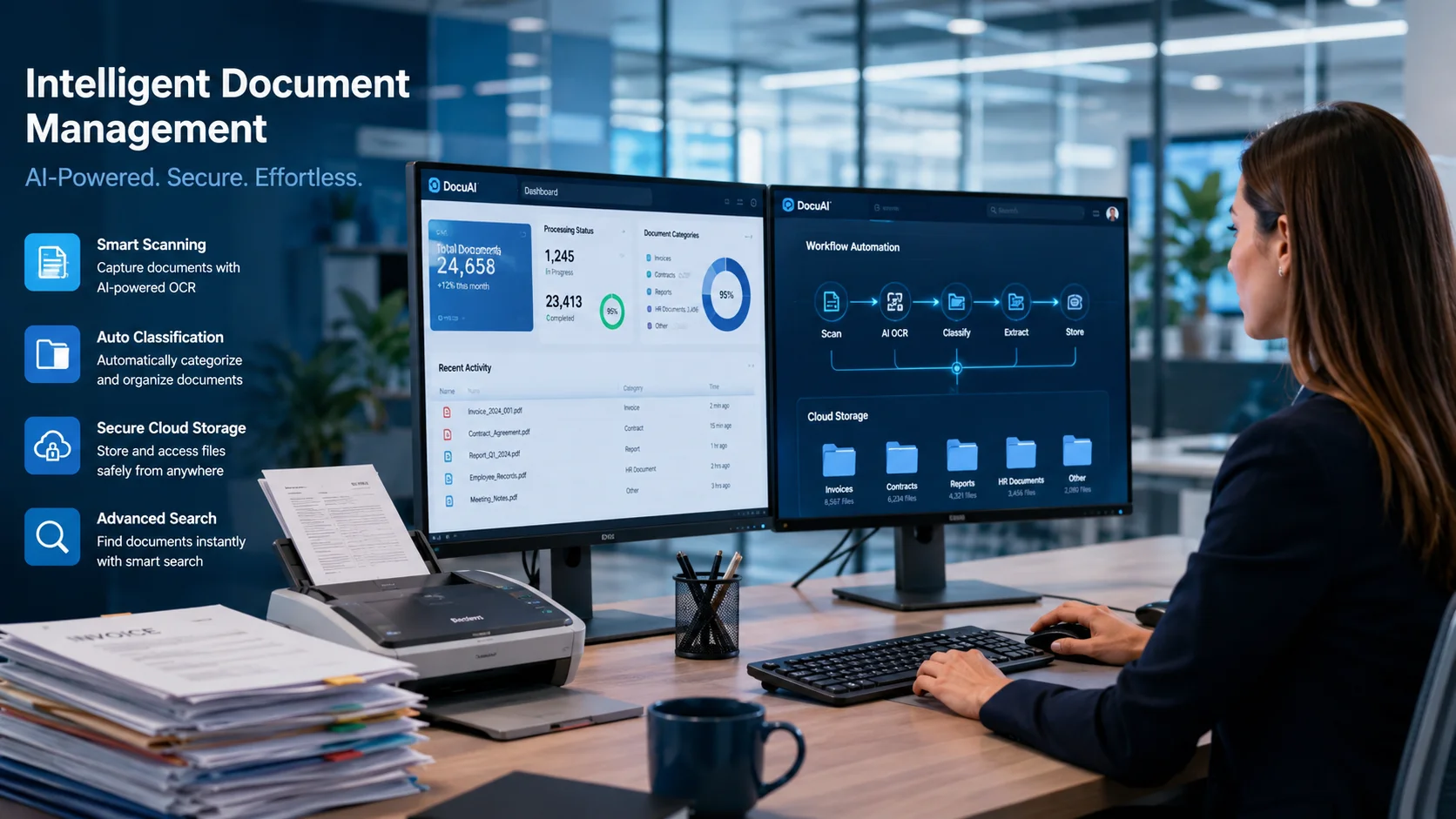
Scanned Document Software That Organizes Everything Automatically Scanned Document Software That Organizes Everything Automatically Paper piles up faster than anyone can file it — with office workers spending up to 40% of their time looking for misfiled documents. And once those documents get scanned, they often end up just as disorganized as the originals — buried in folders, impossible to find, and disconnected from the workflows that actually need them. Scanned document software solves this by converting paper into searchable digital files and automatically organizing them based on content, metadata, and rules you define. This guide covers how the technology works, what features matter most, and how to choose the right solution for your team. What Is Scanned Document Software Top scanned document software includes mobile apps like Adobe Scan and Genius Scan for quick capture, plus desktop tools like NAPS2 and VueScan for batch processing. All of them offer OCR (text recognition) and PDF creation. The main idea is simple: turn physical documents into searchable digital files, with options for automatic enhancement, batch scanning, and cloud integration. That said, the category covers a pretty wide range. On one end, you’ve got free scanner apps that just capture images. On the other, you’ve got full document management systems that store, organize, and secure everything in one place. Here’s how the options break down: >Basic scanning apps: Capture images and convert them to PDF >Document scanning software: Adds OCR, search, and basic organization >Full document management systems: Include secure storage, workflows, access control, and integrations If your team handles high volumes of contracts, invoices, or compliance records, a complete document management system typically delivers more value than a standalone scanner app. The difference comes down to what happens after the scan. How Scanned Document Software Organizes Files Automatically The real power here is automation. Instead of manually naming, filing, and routing every document, the software handles those tasks based on rules you set once. After that, documents flow to the right place without extra effort. OCR Text Recognition for Searchable PDFs OCR stands for Optical Character Recognition. It reads the text inside scanned images and converts it into searchable, selectable content. So if you scan a paper invoice, you can later find it by typing the vendor name into a search bar. Without OCR, scanned files are just images. With it, they become fully searchable records. That’s the difference between digging through folders and finding what you want in seconds. Automatic Tagging and Metadata Indexing Metadata is data about the document itself, like date created, author, document type, or department. Good scanned document software auto-assigns tags based on content. A scanned contract might automatically receive tags like “Legal,” “2024,” and “Vendor Agreement.” This eliminates manual filing. When documents tag themselves, retrieval becomes almost instant. Smart Folder Routing and Classification Rules-based routing sends documents to the correct folders automatically. For example, any scanned invoice containing “Accounts Payable” in the text could route directly to the finance folder. No one has to move it manually. This keeps documents organized from the moment they enter the system, rather than relying on someone to file them later. Workflow Automation for Approvals and Signatures Once a document is scanned and classified, workflow automation can trigger the next step. That might mean sending it for approval, requesting a digital signature, or notifying a team member. Document cycles keep moving without manual follow-up or email chains. Request a Demo to see how DMSNext automates document workflows. Key Features to Look For in Scanned Document Software Not all solutions offer the same capabilities. Here’s what matters most when you’re evaluating options. OCR and Full-Text Search The ability to search inside scanned documents by keyword is essential. You don’t have to remember file names. Just type what you’re looking for, and the system finds it. Role-Based Access Control Role-based access control (RBAC) restricts document access based on user roles. HR documents stay visible only to HR. Financial records stay with finance. This matters for sensitive information and regulatory compliance. Version Control and Audit Logs Version control tracks every edit, so you can see what changed and restore earlier versions if something goes wrong. Audit logs record who accessed or modified a document and when. Both are critical for regulated industries like healthcare, finance, and government. Cloud and Mobile Access Remote and hybrid teams need mobile document access from any device. Cloud-based scanned document software keeps everyone connected without sacrificing security. Integrations With ERP, CRM, and HRMS Connecting scanned documents to existing business systems like ERP, CRM, and HRMS eliminates duplicate data entry. Information flows across teams instead of getting stuck in silos. Two-Factor Authentication and Encrypted Backup Two-factor authentication (2FA) adds a second verification step at login, which reduces unauthorized access risk. Encrypted backup protects against data loss and keeps operations running if something goes wrong. Benefits of Using Scanned Document Software The right solution delivers measurable operational improvements: >Less manual paperwork: Eliminate filing cabinets and paper-based processes >Faster approvals and document cycles: Automated routing removes bottlenecks >Compliance-ready audit trails: Every action is logged, making regulatory audits straightforward >Lower document handling costs: Reduced printing, storage, and retrieval expenses Top Scanned Document Software Compared Software Best For Key Strength Pricing Model DMSNext Enterprises needing security + workflow automation Role-based access, OCR search, workflow automation Tiered (Starter, Professional, Enterprise) DocuWare Mid-market workflow automation Cloud-based document workflows Subscription Laserfiche Government and regulated industries Records management and compliance Subscription M-Files Metadata-driven organization AI-powered classification Subscription Microsoft SharePoint Organizations using Microsoft 365 Integration with Office apps Included with M365 or standalone OpenText Large enterprises Enterprise content management Custom pricing ABBYY FineReader OCR-focused scanning Advanced OCR accuracy One-time or subscription NAPS2 Budget-conscious users Free, open-source scanning Free Adobe Scan Mobile scanning Quick PDF capture on mobile Free with paid tiers CamScanner Personal and small business Mobile-first scanning Freemium DMSNext is trusted by 500+ organizations across financial services, manufacturing, healthcare, and government sectors. Request a Demo to explore how DMSNext compares. How to Choose the Right

